
10/17/2026 Admin
Agentic Coding: Where I Am At Now [October 2026]
(How I'm able to create massive applications in one to two days)
The models and harnesses keep getting better, and my workflow keeps changing to keep up. This post covers what I'm doing right now, in October 2026, to build large, production-quality applications in one to two days.
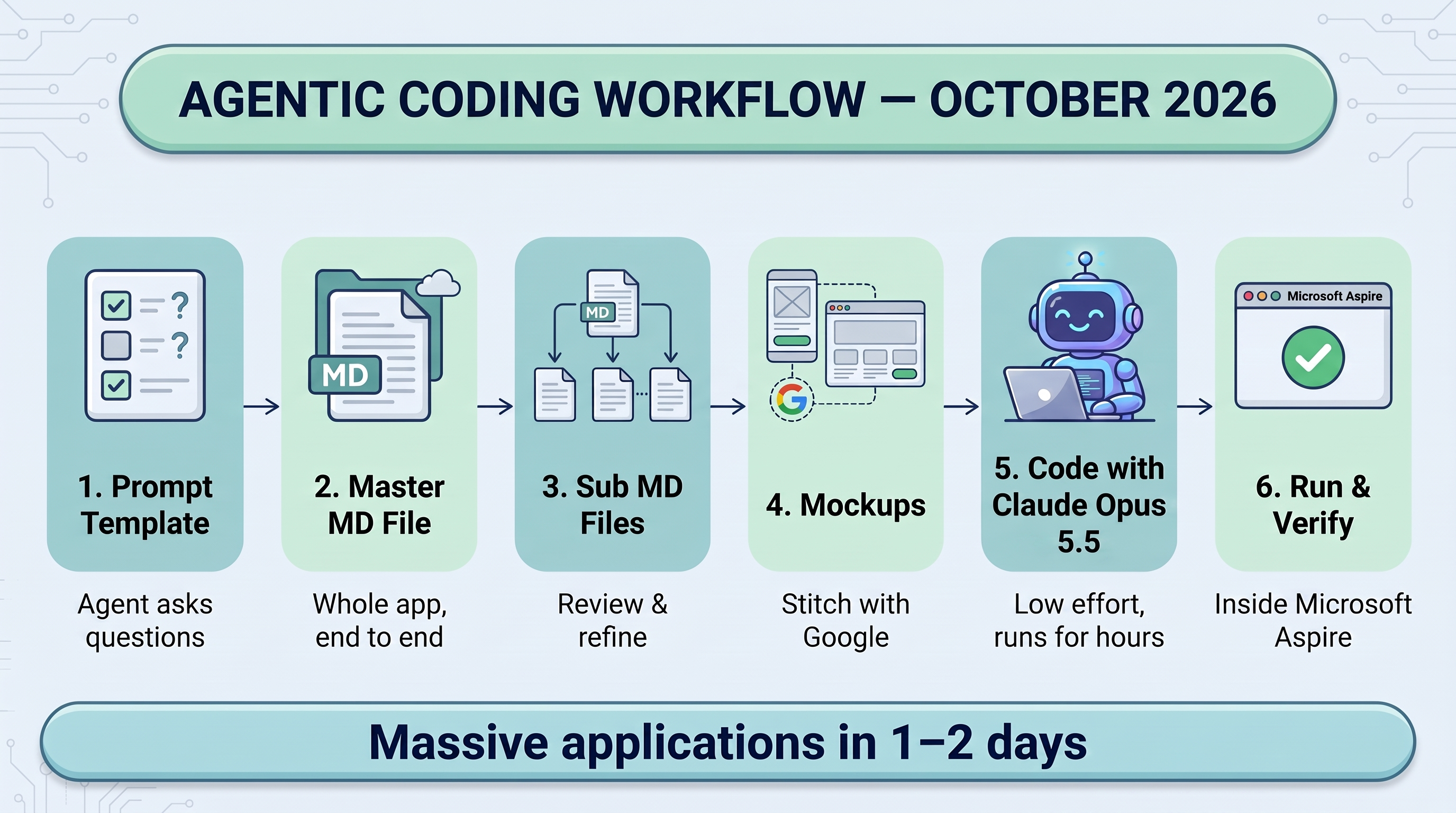
Here is the short version:
- Always use the prompt template. Its main job is to make the agent ask me questions.
- Always have the agent run the program to verify its work.
- Use Microsoft Aspire so the agent has a complete, safe, reproducible environment to run in.
- Design the whole application up front in a master Markdown file, then have the agent break it into sub-files.
- Give the agent detailed mockups created with Stitch with Google.
- Use Claude Opus 5.5 at low effort, and let it run for hours.
1. Always use the prompt template
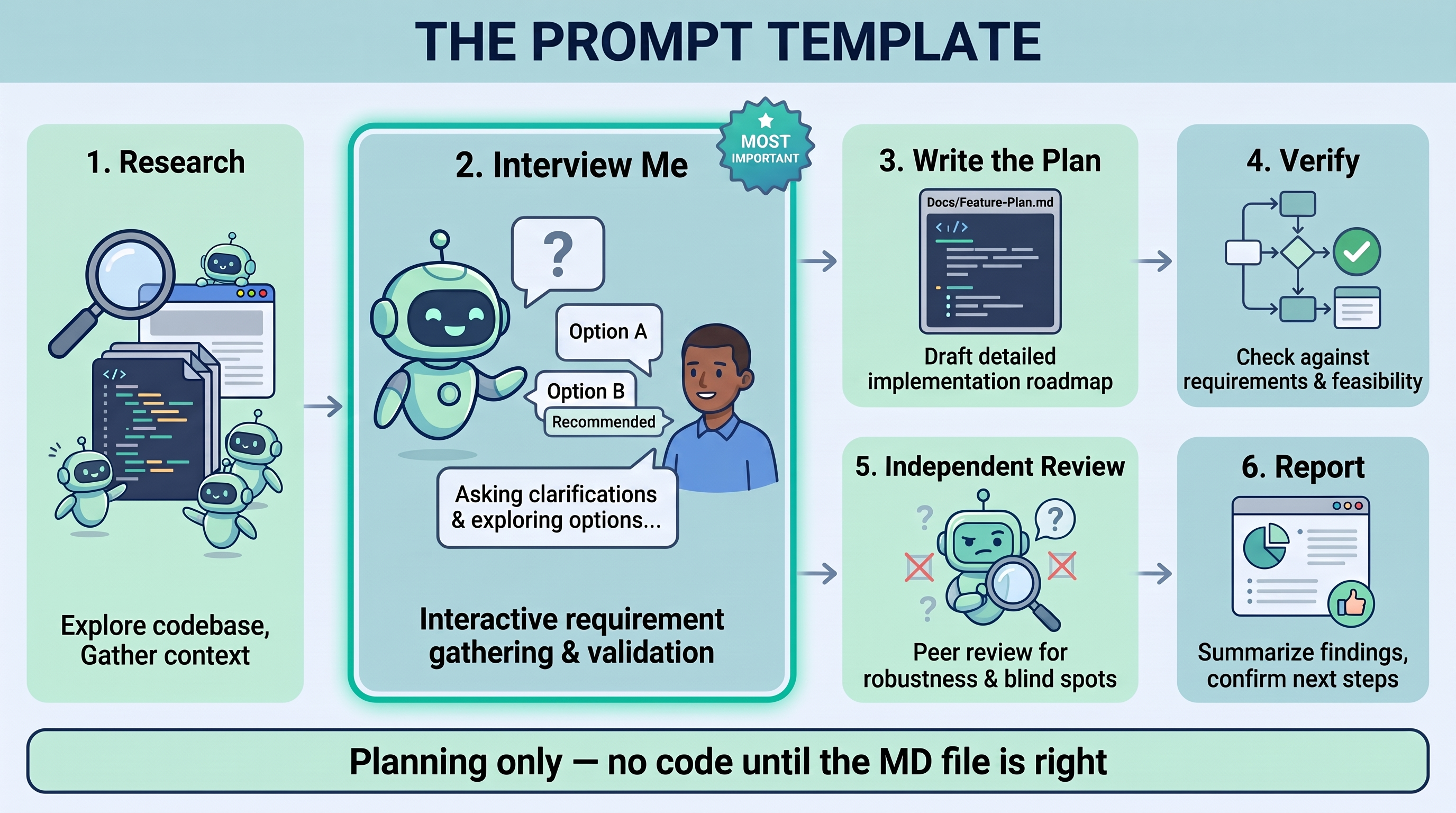
Every project starts with the same prompt template. (The template is included at the end of this post.)
The most important thing about the template is that it tells the agent to interview me. It does not tell the agent to start coding. Instead, the agent researches the codebase, works through my requirements, finds the gaps and the ambiguities, and asks me about them, with options and a recommended default for each, before it writes anything.
These questions are where most of the value comes from. Each one is a decision I would otherwise make by accident, or one the agent would quietly make for me (often wrongly) halfway through the build.
The template produces a Markdown file, not code
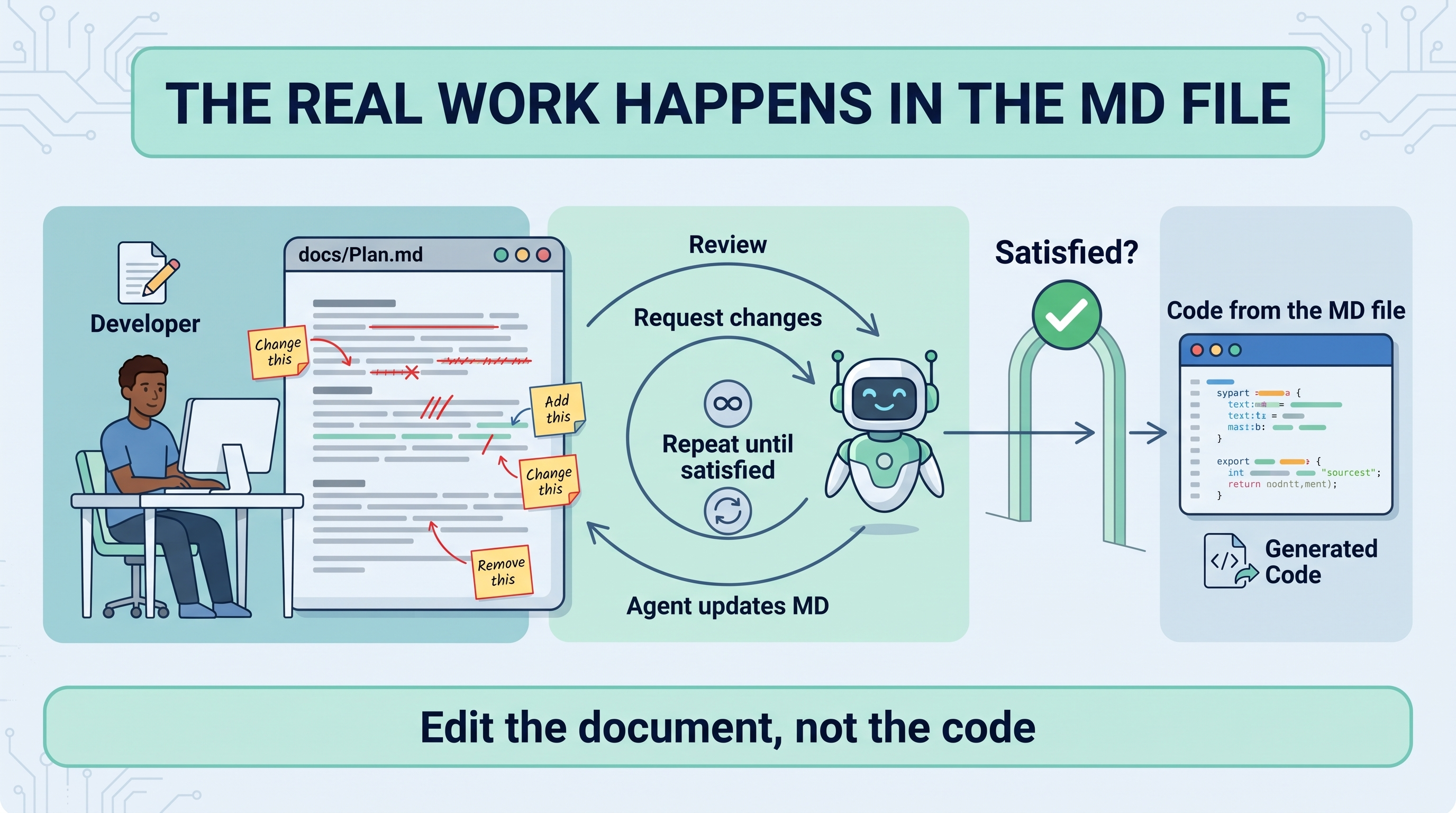
The output of the template is always a Markdown (.md) file, usually saved in the project's docs directory. That file is the specification, and it is what the agent codes from.
When I tell the agent to write code, I always tell it to code from that MD file.
This is where I do the "heavy work" of programming, and I mean "heavy" in quotes. I read the MD file and tell the agent what to change, add or remove. We go back and forth on the document, not on the code. Only when I am satisfied with the MD file do I tell the agent to code from it.
Editing a document is far faster than rewriting code, and it is where the real design decisions get made.
2. Design the whole application end to end first
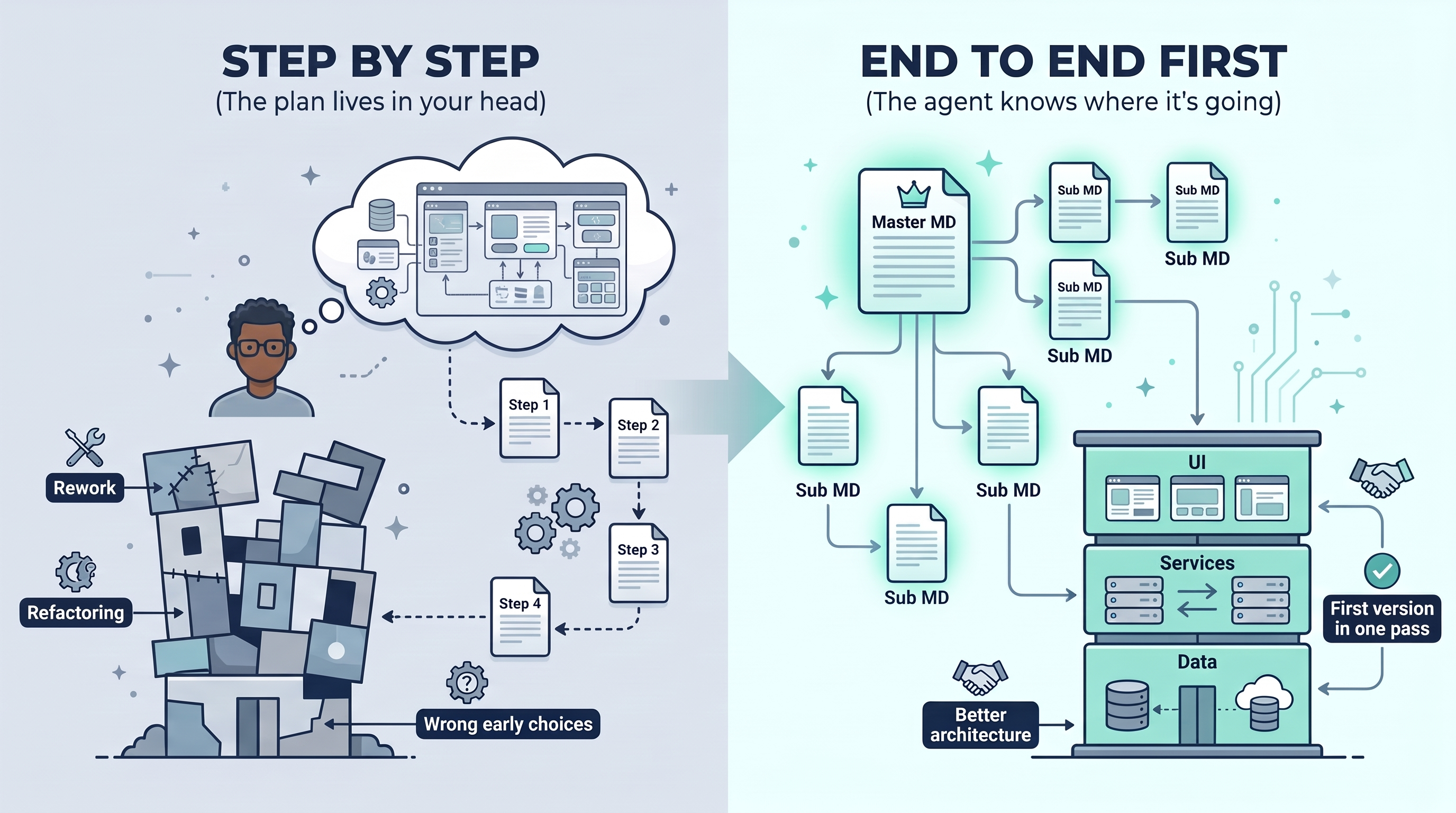
Many people build an application with an agent one feature at a time: one MD file, build it, the next MD file, build that, and so on.
I don't do that anymore.
Instead, I work out the entire application from end to end in a single master MD file. When I'm happy with it, I tell the agent to create sub-MD files related to that master file, covering the individual areas of the application in more detail. I review and modify those as well.
Then I have the agent code the first version of the entire application, end to end, in one pass.
I've found this produces better applications than building step by step. The underlying architecture is much better because the agent knows exactly where the application is going. When you build step by step, the full picture lives only in your head. The agent makes reasonable choices for step one that turn out to be wrong for step five, and you spend your time refactoring. When the whole plan is written down, the agent designs the data model, services and UI for the application you will actually end up with.
3. Always have the agent run the program
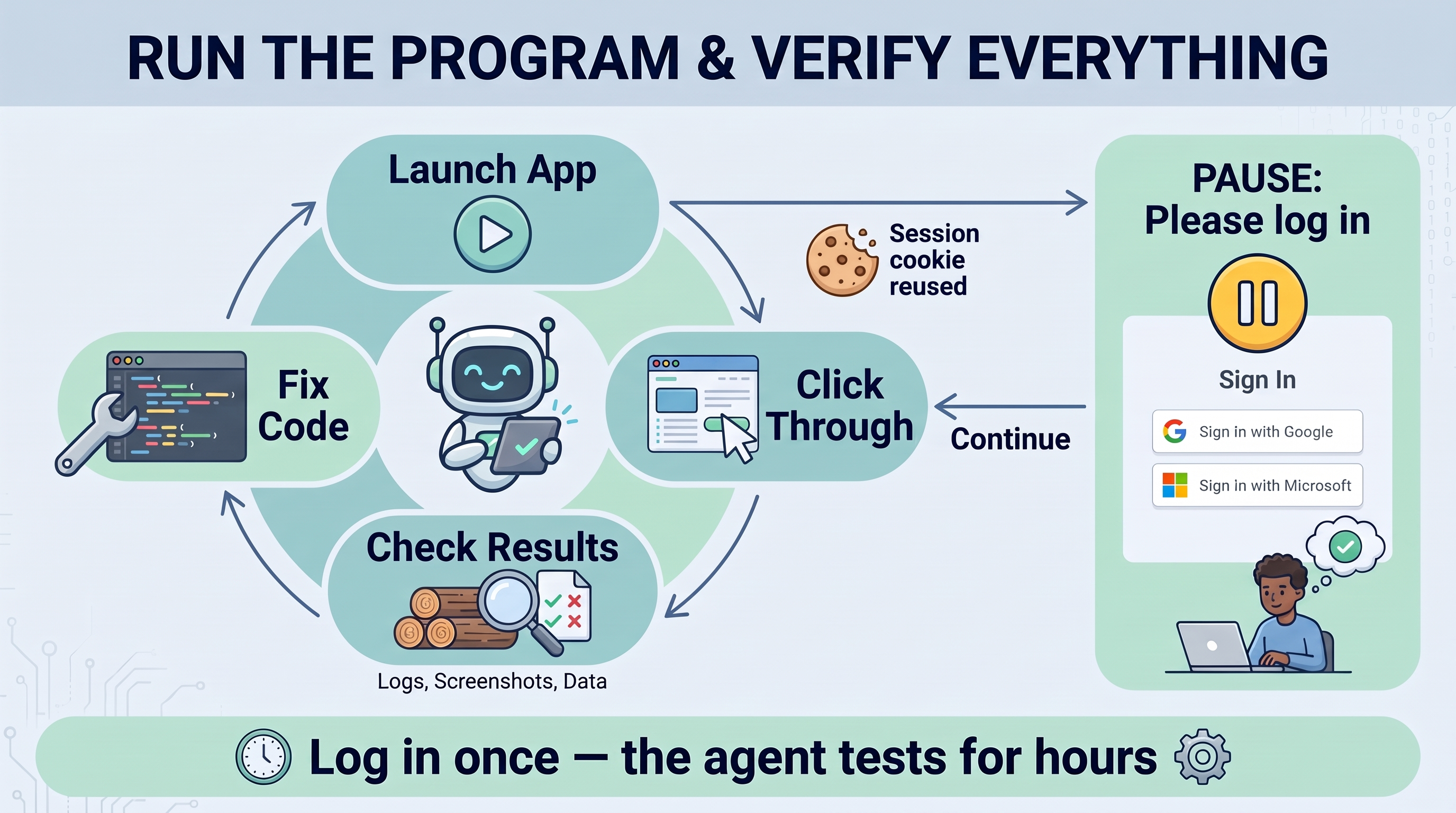
The second most important rule: the agent must run the program and verify everything. Code that compiles is not code that works. The agent needs to launch the application, click through it, check the results and fix what is broken, without me doing it.
This sounds simple, but in practice it is the hardest part, for two reasons.
Problem 1: Logins
Every application I create now uses Google and/or Microsoft logins. That makes it much harder for an agent to test the application, because it cannot simply walk through an OAuth sign-in on its own.
My solution is simple: I tell the agent to pause when it needs me to log in manually. The agent opens the browser, reaches the sign-in page, and stops. I sign in, tell it to continue, and that's it.
In many cases the agent can hold on to the temporary authentication cookie and sign back in as often as it needs to for the rest of that session. I log in once and the agent tests for hours.
Problem 2: Databases, storage and services
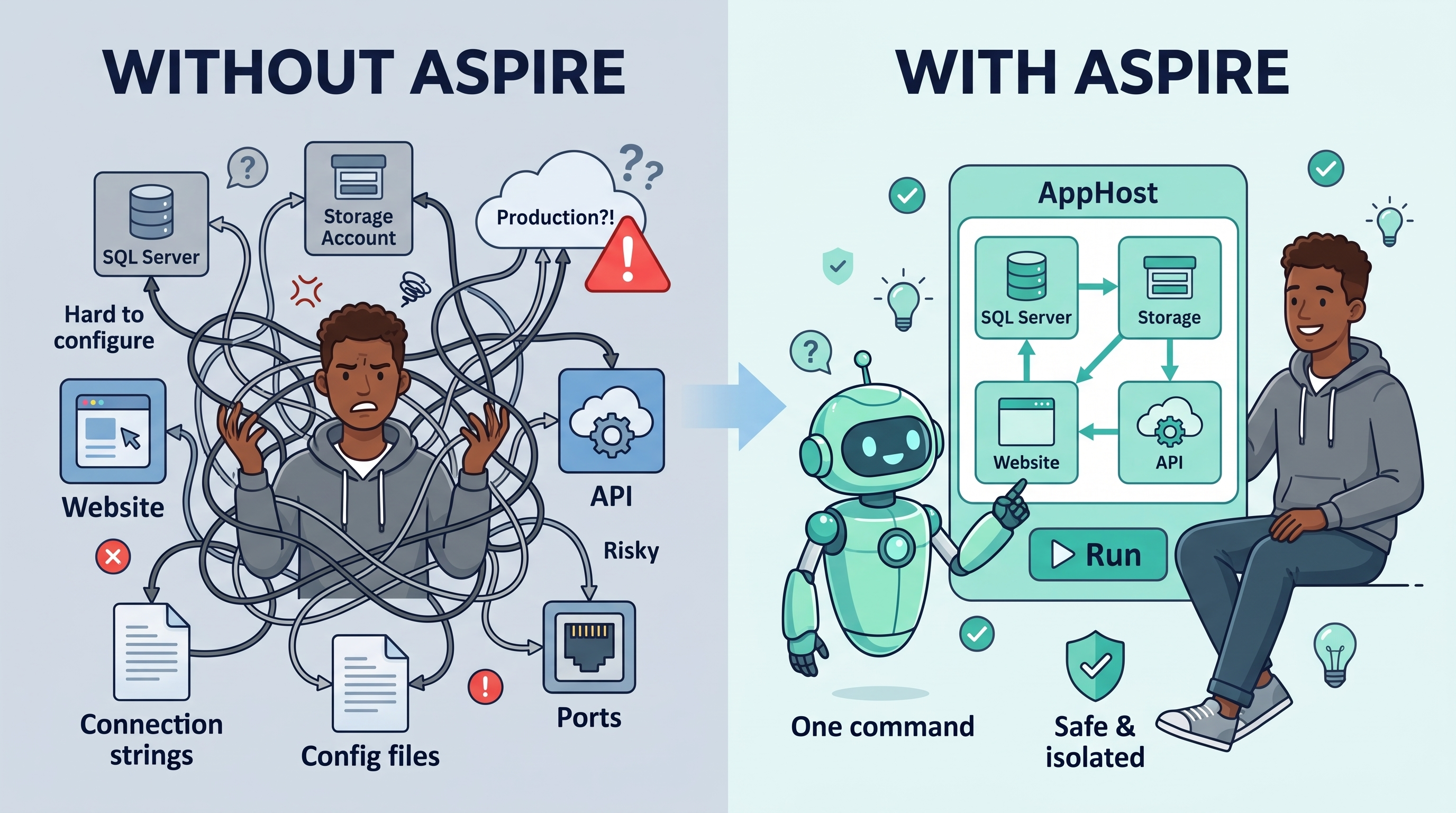
Real applications have a SQL database, storage accounts, a website, one or more APIs, and so on. You can't let the agent run against production, and even configuring a proper dev environment for all of those pieces can be very complicated.
4. Microsoft Aspire for everything
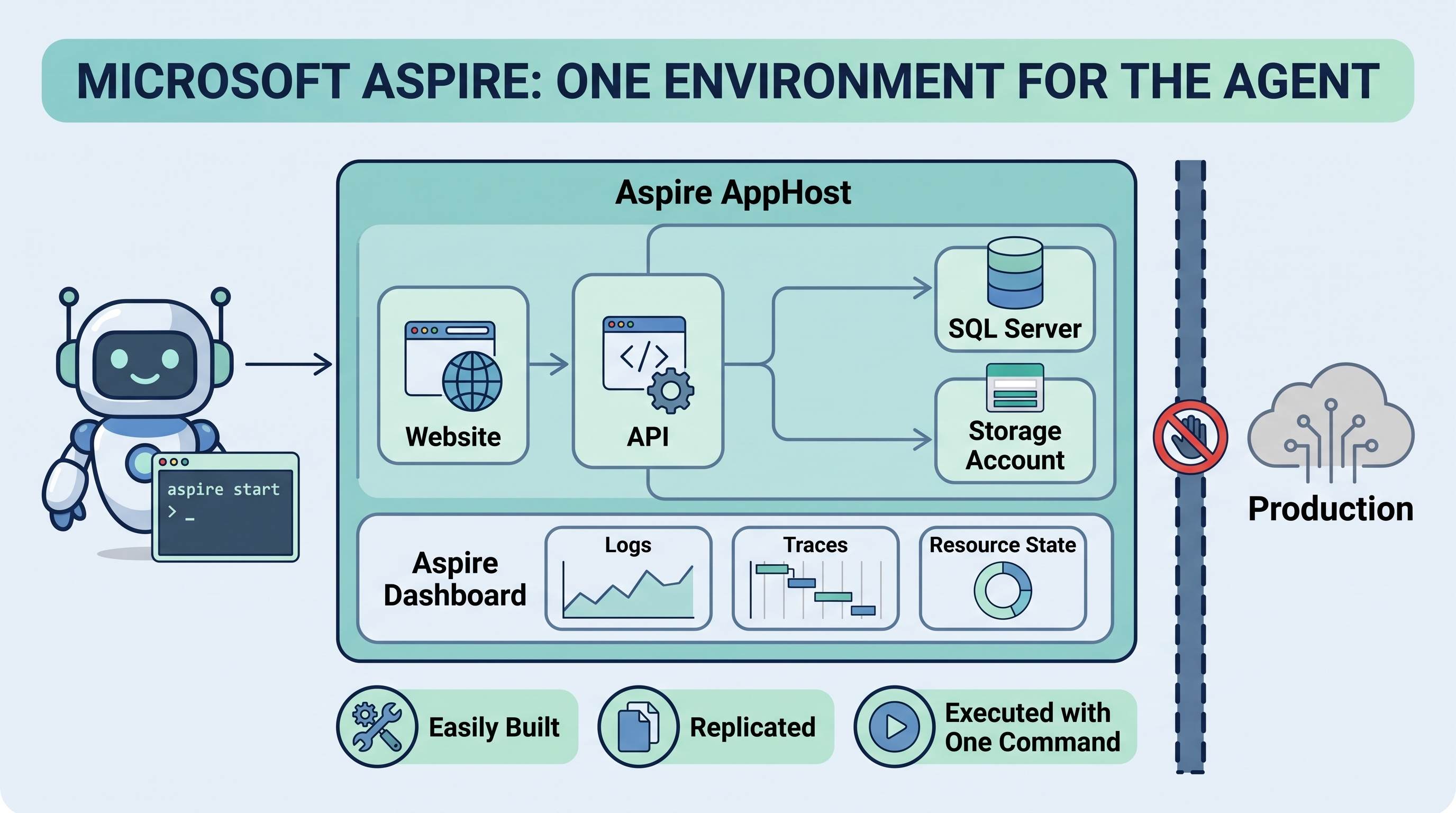
This is why I now use Microsoft Aspire for all of my projects.
Aspire gives the agent an environment where the storage accounts, SQL Server, websites and APIs are all defined in one place and are:
- Easily built. The whole environment is described in code in the AppHost.
- Replicated. Every run gets the same set of resources, isolated from production.
- Executed with a single command. The agent starts everything, and the Aspire dashboard gives it the logs, traces and resource state to diagnose problems.
With Aspire, "run the program and verify everything" is no longer a configuration nightmare. The agent can start the whole system, exercise it from end to end, read the logs when something fails, fix the code and run it again, all without touching anything real.
Aspire, plus "pause and let me log in," solves the testing problem for me.
5. Give the agent detailed mockups
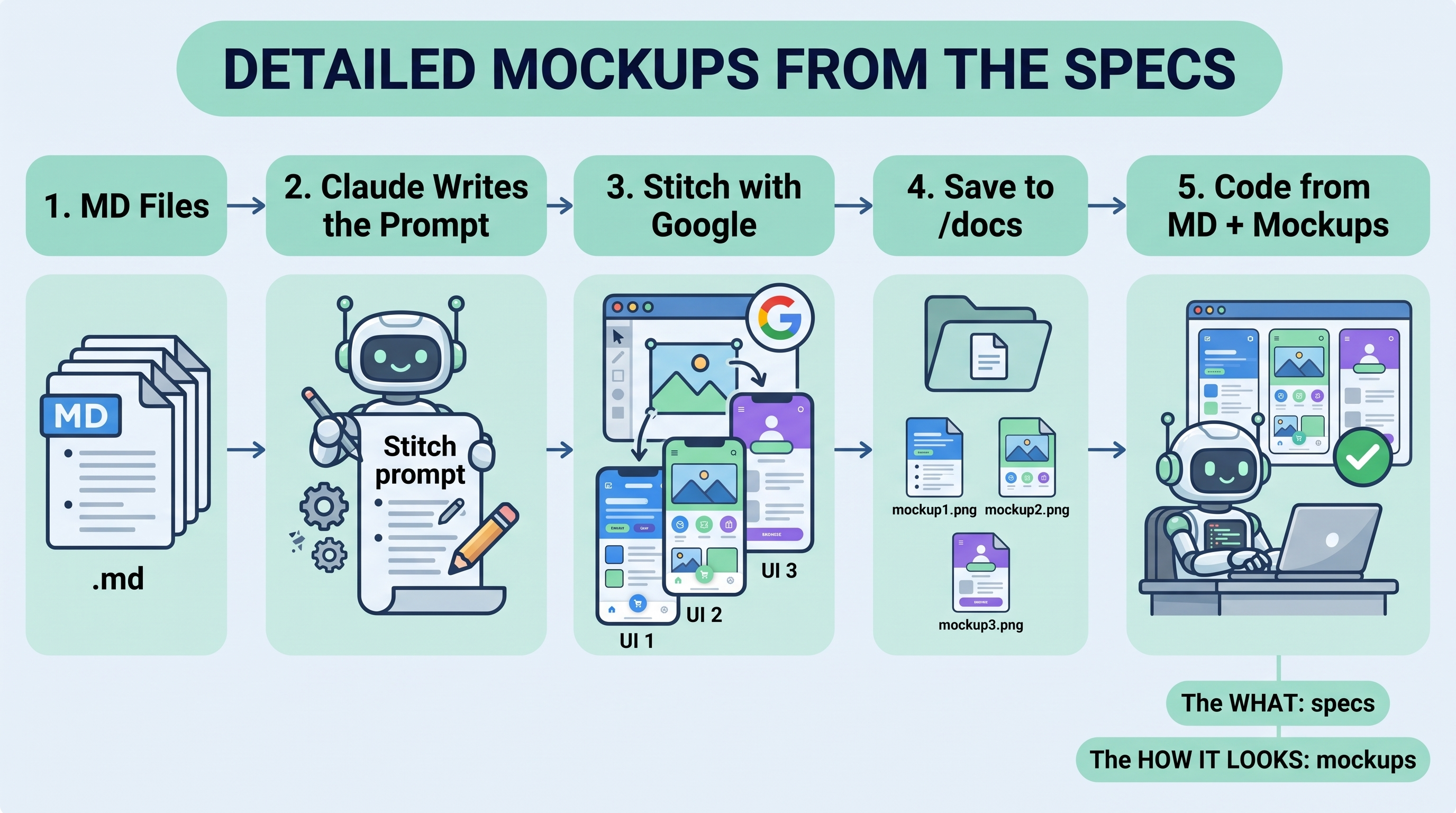
Another big part of my process: I always give the agent mockups. These are not rough wireframes. They are fully detailed mockups created from the specs.
When the MD files are complete, I tell Claude that I want to create mockups with Stitch with Google, and I have it write a detailed prompt for Stitch based on the MD files. Claude already knows every screen, field and workflow in the application, so it writes a far better prompt than I would by hand.
I paste that prompt into Stitch, and Stitch creates the mockups. I then:
- Save the mockups into the project's
docsdirectory. - Tell the agent to code from the instructions in the MD files, including the mockups in that directory.
The agent now has both the what (the specs) and the how it should look (the mockups). The first version of the UI comes out close to what I want, instead of a generic layout I have to describe over and over.
6. Model choice: Claude Opus 5.5 at low effort
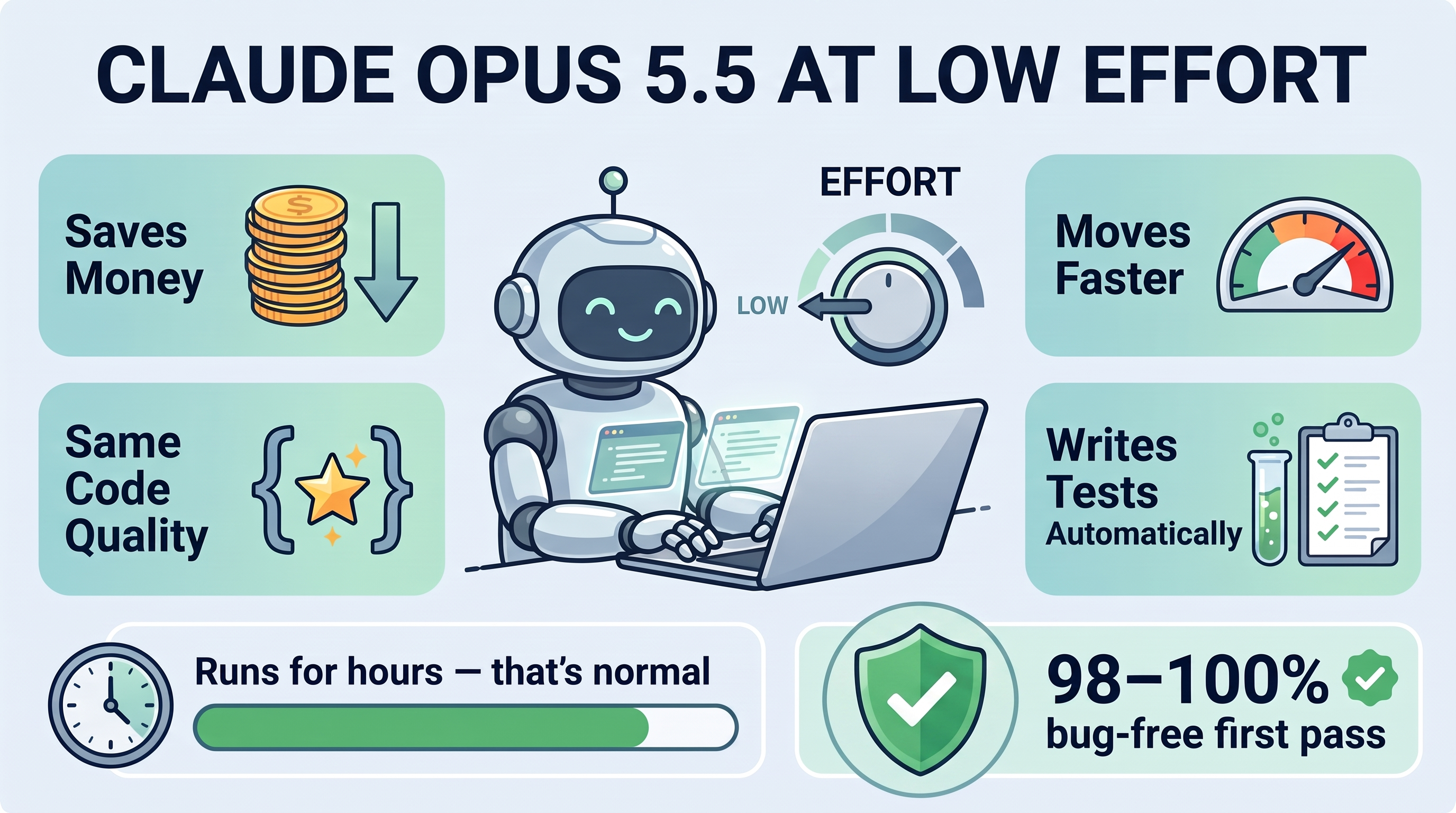
I use Claude Opus 5.5, and I run it at low effort.
- It saves money.
- It moves faster.
- The code is just as good as with higher effort settings, at least for the way I work. The planning has already been done in the MD files, so the agent doesn't need to think as hard while coding.
Opus 5.5 also creates and updates tests automatically without being asked. Let it write as many tests as it needs. Don't try to limit it.
Expect it to take hours
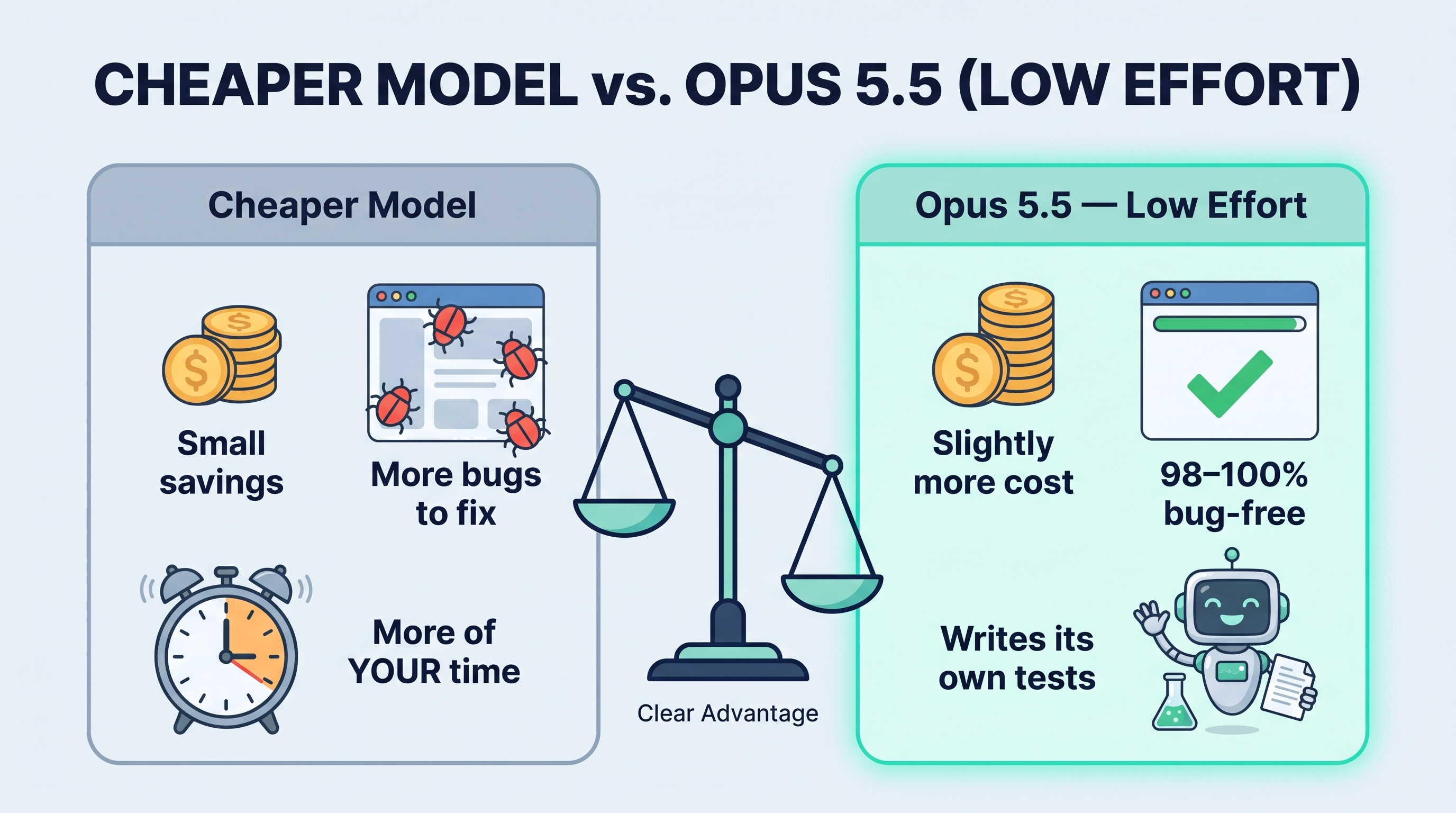
When I tell the agent to execute an MD file, or several of them, don't be surprised if it runs for hours. It is building an entire application, running it, testing it and fixing it. This is another reason I use low effort: on a run that long, the speed and cost savings add up.
Some people use even cheaper models. I've found the savings aren't that large, and I would rather have the application come out 98% to 100% bug-free on the first pass with my current method.
Putting it all together
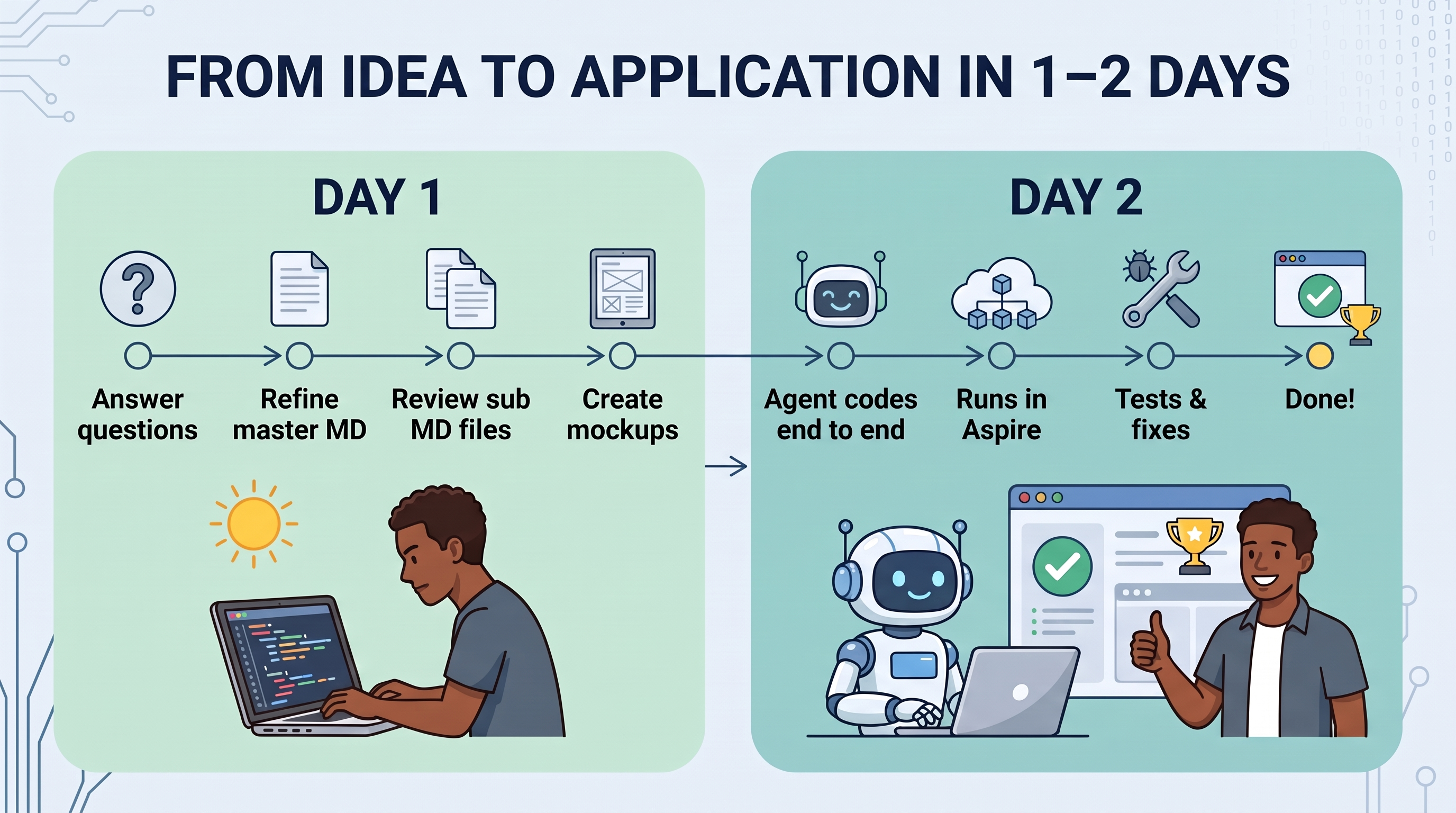
- Run the prompt template. Answer the agent's questions.
- Refine the master MD file in
docsuntil I'm happy with the whole application, end to end. - Have the agent create the sub-MD files. Review and adjust them.
- Have Claude write a Stitch with Google prompt, generate the mockups, and put them in
docs. - Make sure the project uses Microsoft Aspire, so the agent has a complete, isolated environment.
- Tell Claude Opus 5.5 (low effort) to code from the MD files and mockups, run the program, and verify everything, pausing when it needs me to log in.
- Let it run, possibly for hours.
That is how I'm able to create massive applications in one to two days.
Commentary: The workflow that never sits still
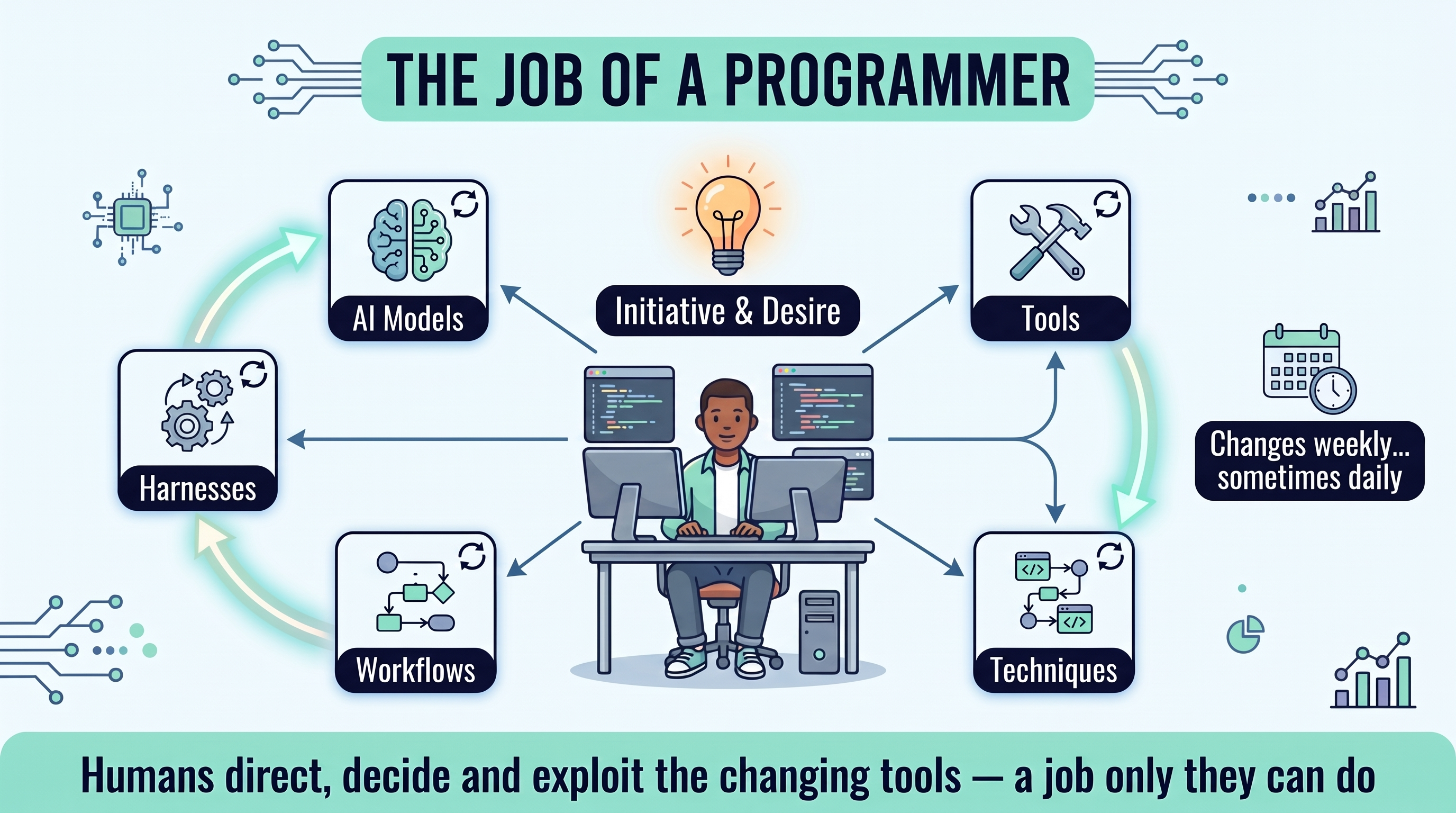
I sometimes get frustrated that we can't seem to settle on the workflow during this rapidly advancing agentic coding revolution. I find myself adapting my workflow weekly, and sometimes daily. The techniques, the tools and the models all keep changing. It's hard not to miss the predictable workflow we had in the past.
But I've come to think this is actually a positive.
It shows where the human programmer will always be needed. The ecosystem and structure around these AI models, harnesses and tools has to be put together and driven by a human, someone who brings the initiative and the desire to produce something in the first place.
The ability to do that, and the efficiency to understand and exploit the constantly changing tools and abilities of every part of the ecosystem, is what the programmer brings to the effort. That will keep changing, and it will keep needing a human brain, with human desires, to direct it and make the decisions.
This is why computers won't replace humans. Humans have a job that only they can do.
This is what I now accept as the job of a programmer.
The Prompt Template
Copy everything in the block below, list your features at the bottom, and give it to your agent.
--STEP 1

# Task
Plan the features listed at the bottom and save the plan to `Docs/<Feature-Name>-Plan.md`. This is planning only: do not modify source code, and do not use terminal commands to create the file. If the file already exists, ask before overwriting it. If the features are unrelated, ask whether I want one plan or one per feature. The plan will be handed to a developer, or a fresh agent session, who has not seen this chat, so it must stand on its own.

## 1. Research
- Read `AGENTS.md` and `.github/copilot-instructions.md` if they exist, and follow them.
- Use subagents to research each area of the codebase the features touch. Each reports back the relevant files and functions (with links), existing patterns to reuse, and anything that makes the feature harder than it sounds.
- Do not describe code you have not read.

## 2. Interview me
Before writing, ask about edge cases, scope boundaries and trade-offs I may not have considered. Do not ask anything the code already answers. Ask in one batch; for each question give options, your recommended default, and why it matters. Skip this step if nothing important is unclear.

## 3. Write the plan
List the `Docs/` folder directly; it may be excluded from search. If it contains `*-Plan.md` files, match the structure and depth of the best one. Cover:
- summary
- goals and non-goals
- decisions, each with the rejected alternative and why
- current state, with file links
- design, with a structure diagram
- contracts: function signatures, schemas, config keys and CLI parameters with types and defaults, sample input and output
- flows: one diagram per major flow, including failure paths
- a file-by-file change table with columns File | New/Modified | Change
- security and privacy
- test plan
- risks and mitigations
- implementation tasks: an ordered checkbox list, each task one PR in size, with a "done when" check
- acceptance criteria
- open questions

Every claim about existing code is either a link to the file that proves it, or is marked **(assumed)**. Prefer tables, signatures and examples over prose. Do not write full implementations.

## Mermaid rules (VS Code renderer)
- Never put `\n` in a label; VS Code's renderer doesn't support it. Use `<br/>` or shorten the label.
- Never start a label with `1.`: it is parsed as a Markdown list and breaks the label. Write `Step 1:`; in sequence diagrams use `autonumber`.
- Quote labels containing ( ) [ ] { } : ; / # &, because those are Mermaid syntax. Example: `A["Parse config (JSON)"]`
- Node IDs are alphanumeric only. Never use `end`, `graph` or `subgraph` (reserved words).
- Keep each diagram to about 20 nodes; split larger ones.

## Hard rules
No passwords, tokens, connection strings, real hostnames, IPs or personal data in the plan, because docs get shared outside the team. Use placeholders such as `<server>`.

## 4. Verify
- Render every Mermaid diagram and fix any that fail. If you have no rendering tool, check each diagram line by line against the Mermaid rules and say in the report that it was not rendered.
- Re-open every linked file and function and confirm it exists as described.

## 5. Independent review
Start a fresh subagent and give it only the plan's path and access to the codebase, not this conversation. Its role is a skeptical senior engineer. Ask it to find:
- steps a developer couldn't carry out without asking someone
- statements that contradict the code
- missing failure modes
- tasks that are too large

Fix what it finds.

## 6. Report
In chat, reply with only:
- the file path
- a 3–5 bullet summary
- decisions you made on my behalf
- review findings you didn't act on
- whether the diagrams were rendered or only checked by hand
- open questions

# Features to document
<features>
1.
2.
</features>